
London · FPV and drone guide for filmmakers
“The drone is the easy part. The accessories decide whether the footage is usable.”
The DJI Avata 2 comes ready to fly, but a few accessories change what you can deliver: ND filters for natural motion blur, guards that save the camera, enough batteries for a real shoot and the right goggles and controller for how you fly. This is the kit that earns its place on paid FPV work, starting with what we actually put on the drone.
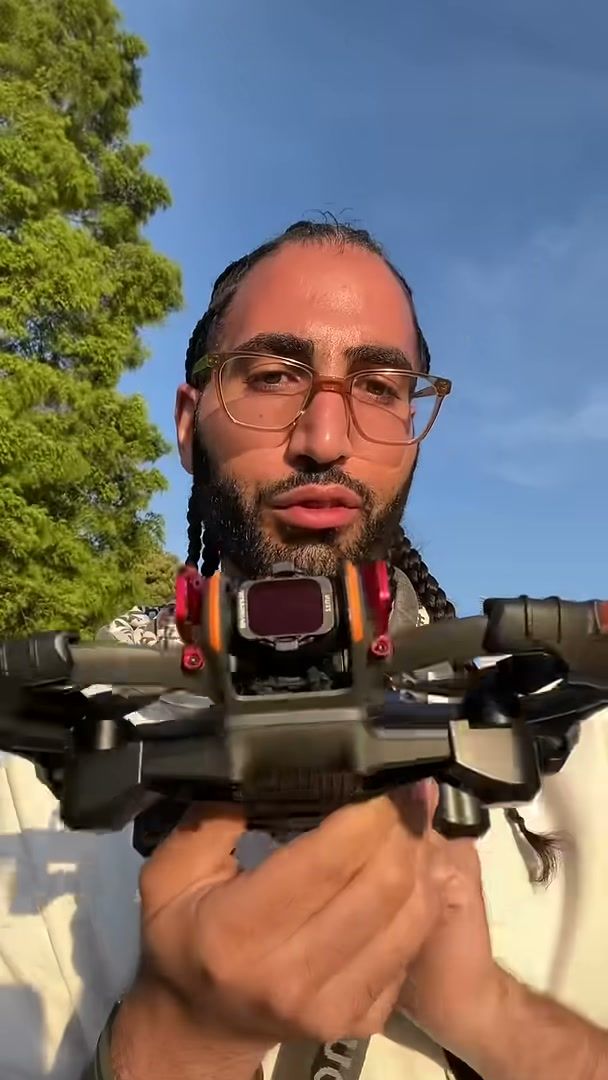
The Avata 2 set up for a park flight: ND filter, side guards and a lens guard · SwainUK
01 · What's on the drone
The three add-ons we fly with
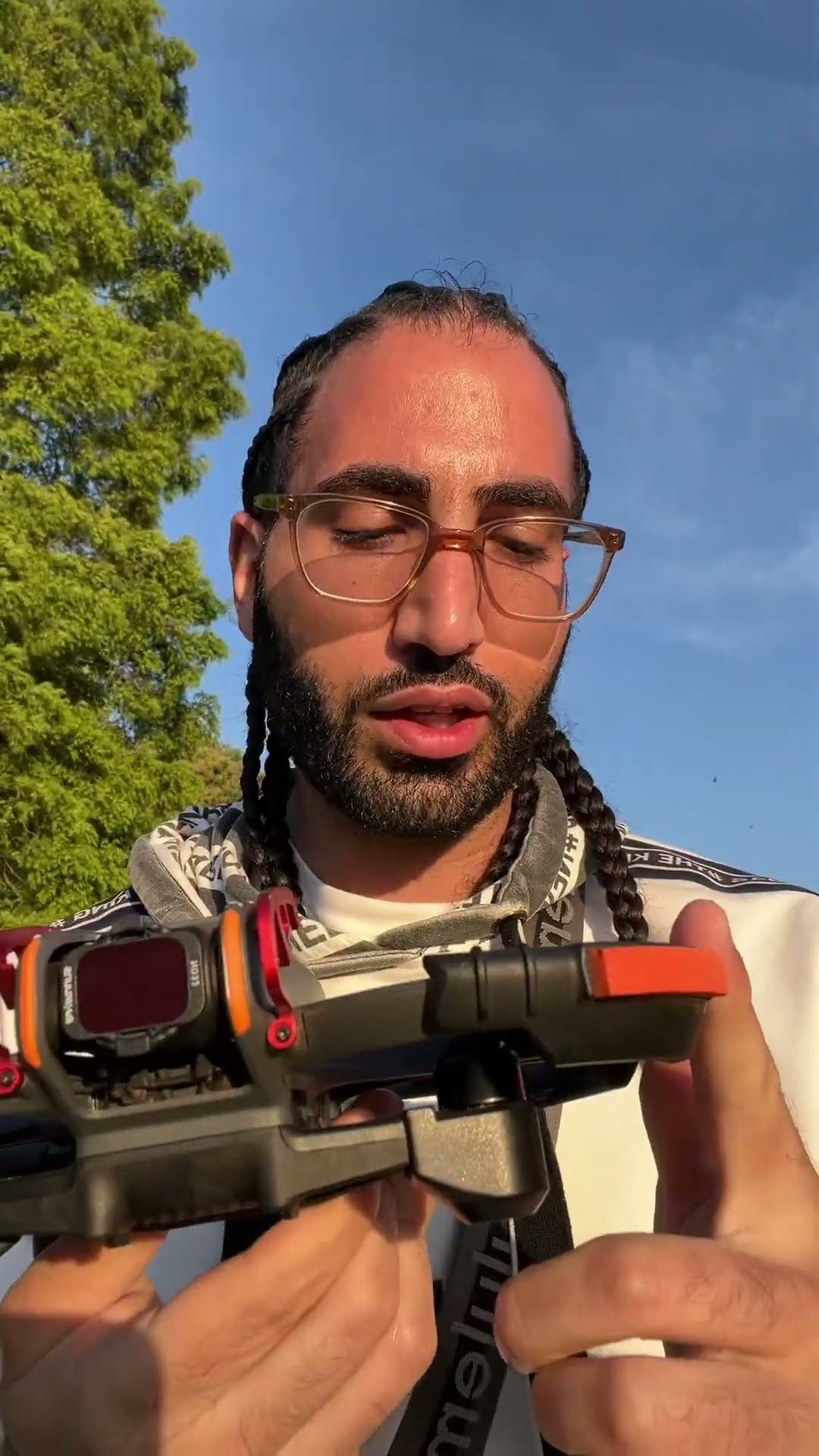
The accessories Short on the channel, one of its most watched, shows the setup in about ten seconds: an ND filter on the camera, guards to protect the sides and a guard to protect the lens. Those three cover the two things that ruin an FPV day: footage that looks harsh and jittery, and a scratched or cracked lens after a light knock.


ND filter and lens guard on the camera; goggles ready before take-off.
ND filter
Cuts the light so you can use a slower shutter speed in daylight. The result is natural motion blur instead of the crisp, jittery look of a very fast shutter.
Side guards
The Avata 2 already has an integrated propeller guard. Add-on bumpers give the frame extra protection on low passes near branches and walls.
Lens guard
The camera sits at the front, where it takes the hit in a nose-first crash. A guard in front of it is cheaper than a repair.
02 · ND filters
ND filters: the accessory that changes the footage most

Avata 2 with an ND32 filter on the Kent coast, from the "Editorial meets e-com" test shoot.
DJI sells an ND filter set for the Avata 2 with ND8, ND16 and ND32. The numbers are how much light each one cuts: ND8 for bright overcast days, ND16 for a mix of sun and cloud, ND32 for strong sun, sand, water and white surfaces. On the Kent coast test shoot with a model from Nevs Model Agency, the Avata 2 flew with an ND32: bright sky, white chalk cliffs and wet rock reflecting the light.
Rule of thumb: set the shutter to about double your frame rate (1/50 at 25fps, 1/120 at 60fps), then pick the ND that gets the exposure right at that shutter.
When to skip it: very fast flying and sports-style dives can look better with a faster shutter. Decide by the look the client wants, not by habit.
Grading: D-Log M gives more room in the grade if you're matching the drone to a ground camera.
Sources: DJI Store, Avata 2 ND filter set (ND8/16/32) · DJI, Avata 2 specs (D-Log M).
03 · Goggles and controller
Goggles and controller: pick for how you fly
Goggles and controller have to match. DJI Goggles 3 and Goggles N3 only work with the RC Motion 3 or the FPV Remote Controller 3, while the older Goggles 2 and Goggles Integra pair with the version 2 controllers.
| Option | Best for | What to know |
|---|---|---|
| RC Motion 3 | New pilots, smooth cruising shots | You point the controller where you want to go. Quick to learn, but there's no Manual mode. |
| FPV Remote Controller 3 | Pilots working towards proper FPV | Two sticks like a gamepad. Needed for Manual mode on the Avata 2. |
| Goggles 3 or Goggles N3 | Avata 2 with the version 3 controllers | Both are compatible. Check the latest DJI compatibility list before you buy a bundle. |
Source: DJI, Avata 2 FAQ (goggles and controller compatibility, Manual mode).
04 · Power and storage
Batteries, charging and cards for a full shoot day

The integrated propeller guard, from the essential accessories part of the basics tutorial.
DJI quotes about 23 minutes of flight per battery in ideal conditions. On a shoot you land earlier, re-fly takes and wait for the light, so one battery is never enough.
Extra batteries
Three is a sensible minimum for paid work, so one can charge while you fly the others.
Two-Way Charging Hub
Charges three batteries in sequence and can work as a power bank. DJI says that with its 65W portable charger a battery fully charges in about 45 minutes.
microSD card
The drone has 46GB of internal storage and takes a card. Use a fast, reliable card, and offload after every location.
Spare props and a hard case
Props are the first thing to go in a light crash. Carry spares and a small screwdriver, and a padded case so the goggles and drone travel safely.
Sources: DJI, Avata 2 specs · DJI Store, Avata 2 Two-Way Charging Hub.
05 · Cover and paperwork
The accessories nobody films
Two things don't fit in the case but matter as much as the filters. The first is cover: DJI Care Refresh replaced our Avata 2 after it dived into a pond, a story told in the Avata 2 beginner guide. The second is paperwork: Flyer ID, Operator ID and insurance for commercial jobs. The drone rules guide for paid shoots covers what you need in the UK and Dubai.
For how this kit is used on real jobs, see FPV for brands and fashion. The full kit walk-through is in the tutorial on Joshua's FPV channel, Swainuk FPV.
Watch
The kit in use


More guides
Keep reading
FAQ
Common questions
What accessories do I need for the DJI Avata 2?
For paid work: ND filters, at least three batteries with a charging hub, a fast microSD card, spare props, a hard case and a lens guard. Goggles and a controller come in the combos.
Which ND filter should I use on the Avata 2?
DJI's set has ND8, ND16 and ND32. Use ND8 on dull days, ND16 in mixed light and ND32 in strong sun or around sand, water and white cliffs.
RC Motion 3 or FPV Remote Controller 3 for the Avata 2?
RC Motion 3 is easier to learn. The FPV Remote Controller 3 is needed for Manual mode and is the better long-term choice if you want to fly proper FPV.
Do the Goggles N3 work with the Avata 2?
Yes. DJI lists Goggles 3 and Goggles N3 as compatible, paired with the RC Motion 3 or FPV Remote Controller 3.
Written by Joshua Swain, who flies FPV and camera drones for commercial work in London. More flights are in the FPV and drone portfolio.